
The crypto world moves fast, and 2025 has been no exception. More Americans are diving into digital assets, and figuring out where to store your coins is one of the first big decisions you’ll make. Whether you’re trading daily or just holding for the long haul, the right wallet matters—a bad one can mean lost funds or a confusing experience that makes you want to give up.
This guide breaks down the best crypto wallets available right now. We looked at security, fees, supported coins, and how easy each one is to actually use.
Our Top Picks
Here’s a quick look at the wallets that made the cut:
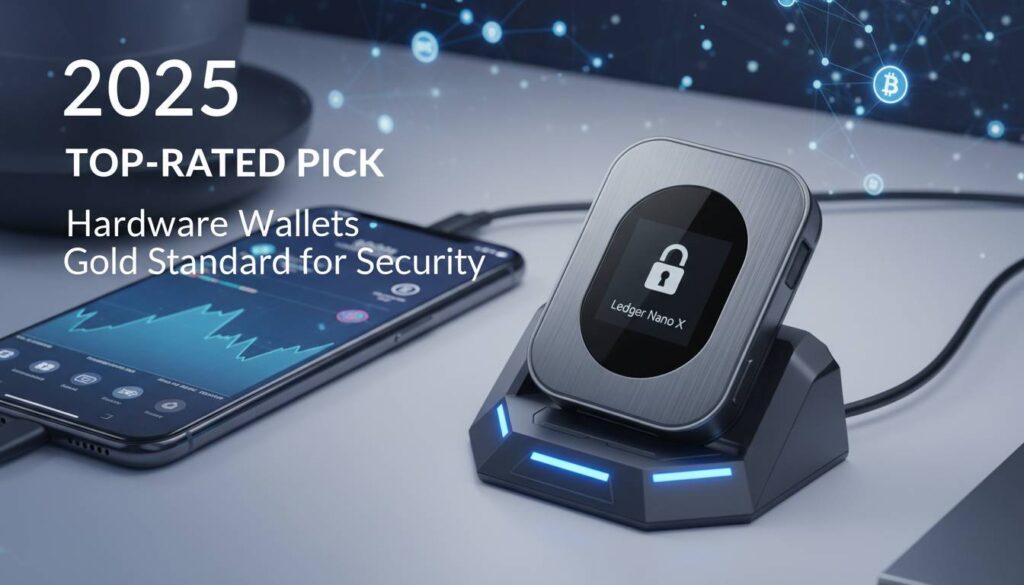
Ledger Nano X – Best hardware wallet overall. Supports 5,500+ coins, stores keys offline on a secure chip.
Trezor Model T – Best for privacy. Open-source code, no account required, touchscreen display.
Coinbase Wallet – Best for beginners. Easy setup, ties into the Coinbase exchange, supports 10,000+ coins.
MetaMask – Best for DeFi. The go-to wallet for interacting with Ethereum apps and decentralized exchanges.
Exodus – Best design. Gorgeous interface, built-in exchange, good for beginners who want something that looks nice.
Trust Wallet – Best mobile experience. Massive chain support (70+ blockchains), solid mobile app, good NFT features.
Ledger Nano X
Ledger has been in the hardware wallet game longer than almost anyone, and the Nano X remains their flagship. It’s a small device with a screen and buttons—you connect it to your phone or computer only when you need to sign a transaction.
The big selling point is security. Private keys never leave the device. They’re stored on a certified secure element (the same kind of chip used in credit cards), which means even if your computer is full of malware, an attacker can’t steal your keys remotely. You physically approve every transaction on the device itself.
It supports over 5,500 cryptocurrencies—basically anything you’d reasonably want to hold. Bitcoin, Ethereum, Solana, Polygon, plus hundreds of altcoins and tokens. The Ledger Live app lets you manage everything, check balances, and even stake some coins directly.
The downside is the price: $149 upfront. But if you’re holding meaningful amounts of crypto, that’s a reasonable insurance premium. We’ve seen too many stories of people losing everything because they kept their keys on an exchange or a hot wallet.
Coinbase Wallet
Coinbase Wallet is the non-custodial option from the biggest US crypto exchange. “Non-custodial” means you control the private keys, not Coinbase—which is the whole point of a personal wallet.
For beginners, this is the easiest entry point. The setup process walks you through creating your recovery phrase with clear explanations. If you already have a Coinbase account, moving funds between the exchange and your wallet is basically instant.
It supports over 10,000 cryptocurrencies, which is overkill for most people but means you won’t run into compatibility issues no matter what you want to hold. There’s a built-in DApp browser so you can try out DeFi, browse NFT marketplaces, or interact with web3 apps without needing a separate solution.
Security basics are covered: biometric login, PIN protection, and the standard 12-word recovery phrase. One nice touch is cloud backup—if you lose your phone, you can restore through iCloud or Google Drive (though storing that backup securely is on you).
MetaMask
MetaMask is essentially the connective tissue for Ethereum and EVM-compatible networks. If you use Uniswap, Aave, OpenSea, or any of the thousands of other decentralized apps, you’re probably using MetaMask.
It’s a browser extension first, with a mobile app for on-the-go use. The big advantage is how seamlessly it integrates with web3 applications. Connect to a DEX, sign a transaction to swap tokens, approve a lending protocol—MetaMask handles all of it with minimal friction.
The wallet supports around 1,000 tokens across Ethereum, Arbitrum, Optimism, Base, and other EVM chains. That’s fewer than some competitors, but MetaMask focuses on the networks where the action actually is. If you’re doing DeFi, that’s what matters.
In 2025, they’ve improved the fee estimation and added some smart features to help you avoid overpaying during congested periods. The transaction review interface is clearer than it used to be, though it still helps to understand gas basics.
One thing to note: MetaMask is a hot wallet, meaning it’s connected to the internet. Great for convenience, not ideal for large long-term holdings. Many people use MetaMask for DeFi activity and move valuables to a hardware wallet.
Trezor Model T
Trezor invented the hardware wallet category, and the Model T is their premium offering. What sets it apart is the privacy focus and open-source approach.
All the firmware code is public. Security researchers can audit it, verify there are no backdoors, and propose improvements. For privacy-conscious users, this transparency matters—a closed-source solution requires blind trust.
The Model T has a touchscreen, which makes confirming transactions easier than the button-only approach on cheaper devices. You don’t need to provide any personal information to use it, and basic functions work entirely offline without contacting external servers.
It supports about 1,000 cryptocurrencies—solid coverage for the major coins but less than Ledger’s extensive library. The Trezor Suite app provides a clean interface for managing holdings, and there’s built-in exchange integration if you need to swap coins without leaving the ecosystem.
Exodus
Exodus built its reputation on making crypto accessible through good design. The desktop and mobile apps are genuinely nice to look at—something most wallets don’t bother with.
It supports around 350 cryptocurrencies. That’s less than some competitors, but it covers the coins most people actually hold. The built-in exchange lets you swap between assets without leaving the app, with rates competitive against dedicated DEX aggregators.
One unique feature is “Exodus 911″—a dedicated support line for emergency situations. It’s a nice safety net, especially for newer users who might panic if something goes wrong.
Exodus also pairs well with Trezor hardware wallets. You can use Exodus’s interface while keeping your keys on a Trezor device—best of both worlds.
Trust Wallet
Trust Wallet took off as a mobile-first solution, and it’s still the best option if you manage most of your crypto on your phone. Binance acquired it back in 2019, which gives it serious backing.
The multi-chain support is the standout feature: 70+ blockchains covered. If you’re holding coins on obscure networks, Trust Wallet probably supports them. The built-in DApp browser means you can use decentralized apps directly from the mobile app—no desktop required.
NFT support has grown significantly. You can view galleries, check marketplace listings, and manage your collectibles all in one place. Staking is built in too, for proof-of-stake chains like Solana, Cosmos, and others.
It’s free to download and use, which is typical for software wallets. You’ll still pay network fees when transacting, of course.
How We Test
We evaluate wallets across several areas:
Security – How are private keys stored? What secure elements or hardware modules are used? Has the company had breaches? What authentication options exist?
Fees – Network fees vary by blockchain. We look at trading spreads, any premium features that cost extra, and whether the wallet adds its own charges on top of network costs.
User experience – We actually use each wallet. Setup, sending transactions, connecting to DApps, finding support. Things that sound easy in marketing sometimes aren’t.
Compatibility – Does it work well on the devices and operating systems you use? Are there bugs or friction points?
Support – When things go wrong—and they will—how easy is it to get help?
Types of Crypto Wallets
Here’s a quick breakdown of the main categories:
Hot wallets – Connected to the internet. Convenient for frequent access, but more vulnerable to remote attacks. MetaMask, Coinbase Wallet, and Exodus are hot wallets.
Cold wallets – Keys stored offline. Transactions require physical access to the device. Ledger and Trezor hardware wallets fall into this category. If you’re holding significant amounts, cold storage is the standard recommendation.
Custodial vs. non-custodial – Custodial wallets (like keeping crypto on an exchange) hold your keys for you. Easier recovery if you lose access, but you trust the provider not to lose or freeze your funds. Non-custodial wallets like the ones in this guide give you full control. You alone are responsible for your keys.
Most people use a combination: a hot wallet for trading and DeFi, a hardware wallet for long-term storage.
Final Thoughts
The “best” wallet depends entirely on your situation. Holding $500 in random altcoins? A free software wallet is fine. Holding $10,000+ in Bitcoin? A hardware wallet is worth the investment. Spending a lot time in DeFi? MetaMask is essential. Want the easiest possible experience for your first coins? Coinbase Wallet is hard to beat.
No matter which you choose, a few rules apply: write down your recovery phrase and store it somewhere safe (not on your computer, not in the cloud), enable every security feature available, and never share your private keys with anyone. Wallet companies will never ask for them.
Get a wallet that fits how you actually plan to use crypto. The right one makes the whole experience much more enjoyable.